The Complete AI Reverse-Engineering Toolkit: 150+ Free Tools, Courses, and Resources
Accelerate your reverse engineering journey! Access 150+ free AI tools, agents, and expert courses for binary, mobile, firmware, and web analysis.
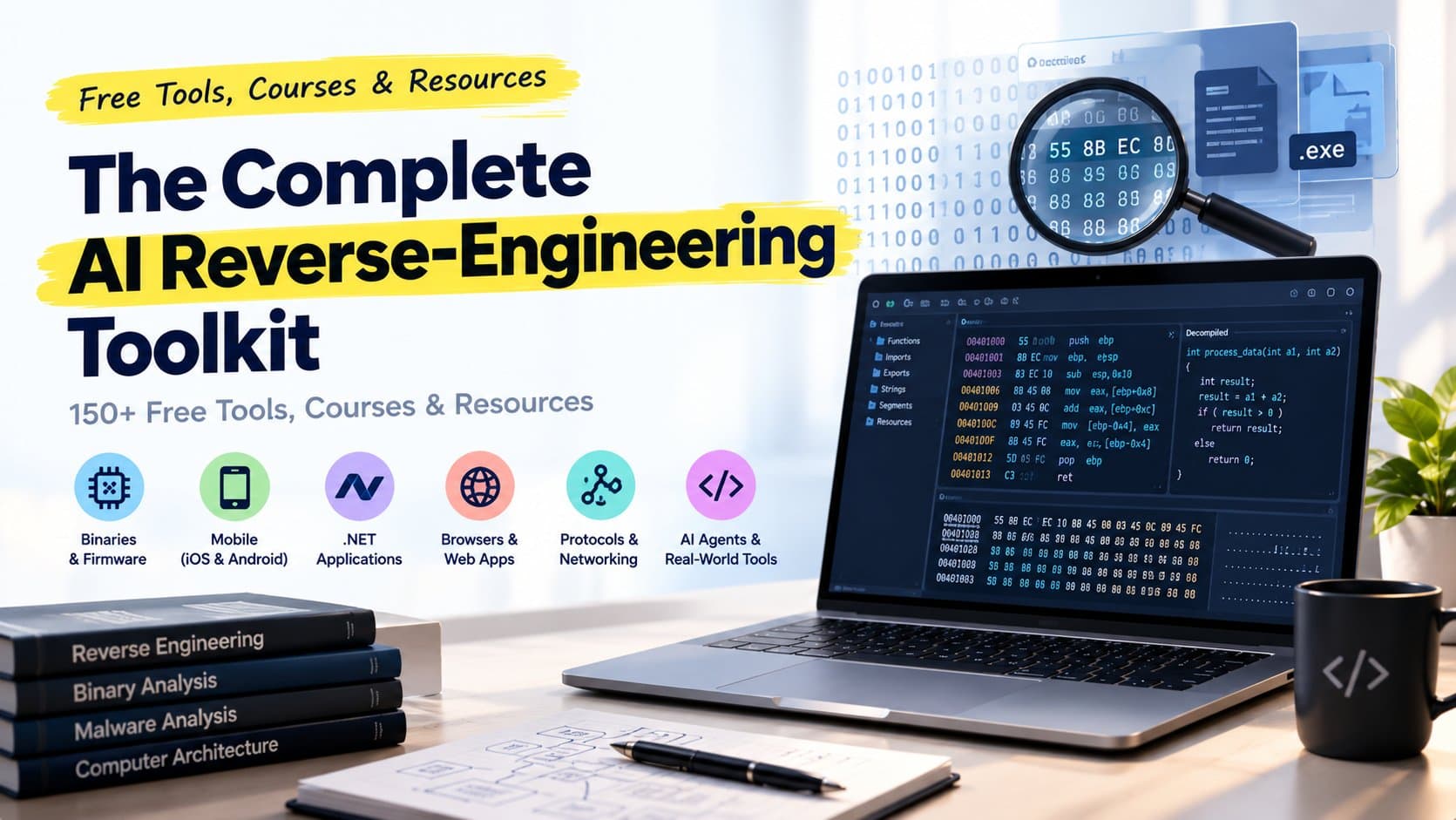
Reverse engineering is becoming more accessible to developers, security researchers, and software engineers. Tasks that once required extensive manual analysis of assembly instructions, application packages, runtime behavior, and network traffic can now be supported by AI coding agents and increasingly capable open-source tools.
The challenge is knowing where to start.
A Windows executable, an Android application, a .NET assembly, an Electron desktop app, a firmware image, and a WebAssembly module all require different approaches. No single tool handles every format or investigation equally well.
That is where a well-organized reverse-engineering toolkit becomes valuable.
This guide brings together 150+ free tools, open-source projects, educational resources, and technical references across AI-assisted investigations, native binaries, .NET applications, iOS, Electron, browsers, firmware, WebAssembly, network protocols, and hands-on training.
The starting point is REA, an AI-assisted reverse-engineering toolkit that connects coding agents to tools for inspecting software and tracing how features work. From there, you can explore specialist tools for disassembly, decompilation, runtime analysis, protocol inspection, and firmware research.
Whether you are learning software internals, auditing an application you own, investigating a security issue, or rebuilding a compatible implementation, this collection provides a practical starting point.
Important: Free or open-source does not mean every tool is unrestricted in every situation. Some projects have separate licenses, commercial dependencies, hardware requirements, or platform limitations. Always review the applicable terms and investigate only software and systems you own or are authorized to examine.
1. Start Here: REA - Reverse Engineering with AI Agents
Best for: Developers who want an AI coding agent to help investigate how an application or software feature works.
REA, short for Reverse Engineer Anything, connects compatible coding agents to reverse-engineering tools through the Model Context Protocol (MCP). Instead of relying entirely on manual inspection, you can ask an agent to investigate a particular feature, collect evidence, trace relevant code, and explain the behavior.
For example, you might ask why a desktop application exports a file in a particular format. An investigation could follow the interface action through an IPC message, identify the relevant handler, inspect the implementation, and document the observed behavior.
REA supports investigations involving native binaries, JavaScript and Electron applications, .NET assemblies, Android packages, and other supported targets. The available analysis capabilities depend on the target, configured providers, and installed dependencies.
Essential REA resources
Official REA GitHub repository : source code, setup instructions, and technical documentation.
Official REA website : overview, examples, and guided investigations.
Installation guide : installation requirements and setup details.
First investigation tutorial : follow a practical example.
REA guides : investigation workflows and technical walkthroughs.
Guided MCP prompts : prompts for structuring investigations.
MCP runtime contracts : details about tool inputs and outputs.
Other useful REA documentation includes evidence workflows, the native investigation guide, the JavaScript application graph, and the Electron observation guide.
How to install REA
The project documents an installation workflow using Node.js and npm. Start with the official installation guide to confirm the supported versions and prerequisites for your operating system.
With the required environment installed, run:
npx rea-agents@latest setupReview the proposed configuration changes, approve the setup, and restart your coding agent as instructed. The setup process registers the REA tools and installs the corresponding workflow instructions.
For deeper native analysis, you may also need a compatible analysis engine such as Ghidra, Hopper, or IDA. Other target types have different requirements.
Security note: Review the installation plan before approving changes to your development environment. If you enable an agent to inspect files or interact with running applications, ensure that it has only the access required for your investigation.
2. Learn from Real Reverse-Engineering Investigations
Tutorials become easier to understand when they show the complete path from an observable behavior to an explanation supported by evidence.
REA's showcase investigations provide examples of this approach.
Recommended case studies
Notes export investigation — examine an export feature and trace the behavior from a button action to the underlying implementation.
Notion clipboard investigation — explore the relationship between a page API, preload code, and the main process.
DX-Ball investigation — follow a Windows binary investigation toward a verified native function.
Aegis investigation — explore an Android APK and its time-based one-time password implementation.
Additional examples include the CTF Flag Checker, REA Gems, the Chrome Dinosaur investigation, and Notes Evidence Record.
These examples are valuable because they demonstrate an important principle: a convincing explanation should be connected to observable behavior, relevant code, and reproducible evidence.
Use the case studies as learning material, then repeat the workflow against a small program you own or a deliberately vulnerable training application.
3. AI Reverse-Engineering Agents and MCP Integrations
AI agents can help navigate large codebases, summarise disassembly, identify likely function relationships, and organise investigation findings. However, they still depend on the quality of the underlying tools and evidence.
The following projects connect reverse-engineering environments with AI-assisted workflows.
IDA Pro MCP — an MCP integration for working with IDA Pro.
GhidrAssistMCP — an AI-oriented integration for Ghidra.
GhidraMCP — an MCP bridge for interacting with Ghidra.
Official radare2 MCP — an MCP integration for radare2.
Additional resources worth investigating include Revenant, Awesome LLM Reverse Engineering, AgentRE-Bench, SRE-Bench, and Reverse Engineering Agent Skill.
These projects serve different purposes, and their capabilities and maintenance status may change. Review each repository's documentation, supported versions, and security requirements before integrating it into your workflow.
What AI can and cannot do in reverse engineering
An AI agent can help explain assembly instructions, propose hypotheses about program behavior, organise findings, and suggest experiments. It may also produce incorrect interpretations, miss important execution paths, or mistake a plausible explanation for a verified one.
For reliable work, use AI as an investigation assistant rather than an unquestioned source of truth. Verify conclusions against disassembly, decompiled code, runtime observations, and repeatable tests.
4. Native Binaries: Disassemblers, Decompilers, and Debuggers
Native applications compiled from languages such as C and C++ can be difficult to understand because their original source code may not be available. Reverse engineers often begin with disassembly, decompilation, string analysis, symbol inspection, and debugging.
These tools form the foundation of native binary analysis.
Core tools
Ghidra — a software reverse-engineering framework with disassembly, decompilation, and analysis capabilities.
radare2 — a command-line framework for binary analysis, debugging, and related tasks.
Rizin — a framework for reverse engineering and binary analysis.
Cutter — a graphical interface built around Rizin.
Additional native-analysis resources
Keystone — an assembler framework for supported instruction architectures.
GNU Binutils — utilities for inspecting and manipulating object files and executable formats.
GDB — the GNU Debugger.
LLDB — a debugger commonly used with LLVM-based toolchains.
pwntools — a Python framework widely used for binary exploitation research and CTF exercises.
ROPgadget — a tool for analysing gadget sequences in binaries.
Detect It Easy — a utility for identifying executable formats and likely compiler or packer characteristics.
capa — a tool for identifying capabilities in executable files.
YARA — a rule-based pattern-matching system used in malware research and file classification.
Some tools focus on disassembly and debugging, while others help classify files, identify behaviors, or support specialised security research.
A practical starting workflow
For an executable you are authorised to inspect:
Identify the file format and architecture.
Check available strings, symbols, and metadata.
Open the binary in a disassembler or decompiler.
Locate the functions relevant to the behavior you are investigating.
Use a debugger or controlled runtime experiment to verify important hypotheses.
Record the evidence and any unresolved questions.
This approach helps prevent a common mistake: assuming that a decompiler's pseudocode is identical to the original source code.
5. .NET Application Reverse Engineering
.NET applications often preserve useful metadata and intermediate language instructions. Depending on how an application was built and protected, this can make inspection more straightforward than reverse engineering a stripped native executable.
Essential .NET tools
ILSpy — an open-source .NET assembly browser and decompiler.
dnSpyEx — a .NET debugging and inspection project.
dnlib — a library for reading and writing .NET assemblies.
de4dot — a deobfuscation tool for supported .NET applications.
Additional projects include AsmResolver, Harmony, Mono.Cecil, and NativeAOT reversing helpers.
What can you investigate?
These tools can help you examine class structures, methods, metadata, dependencies, and program logic. Libraries such as Mono.Cecil and dnlib are also useful when building tooling that reads or transforms managed assemblies.
The results depend on the build process. Obfuscation, trimming, ahead-of-time compilation, and native dependencies can make analysis more complicated.
For an application you own, a sensible first exercise is to inspect its public methods and dependencies, trace one feature, and compare the decompiled behavior with the application's observed output.
6. iOS Reverse Engineering and Mobile Security
iOS application analysis can involve application packages, Objective-C or Swift code, native libraries, device communication, runtime behavior, and security controls.
Because iOS development and debugging rely heavily on Apple's development environment, some investigations are easier on macOS. Available techniques also depend on the device, operating-system version, permissions, and application protections.
Key iOS resources
Frida iOS documentation — runtime instrumentation guidance.
OWASP iOS Security Testing Guide — practical mobile application testing guidance.
DVIA-v2 — a deliberately vulnerable iOS application for security learning.
libimobiledevice — cross-platform software for communicating with supported Apple devices.
Other useful projects include ios-deploy, class-dump, ipsw, and Objection.
Learn with OWASP MASTG
The OWASP Mobile Application Security Testing Guide is one of the most useful resources in this category. It covers mobile security testing methodology, analysis techniques, and platform-specific guidance.
For a structured learning path, use the guide alongside a training application such as DVIA-v2. Focus on understanding application structure, data storage, network communication, cryptography, and security controls.
Only instrument devices and applications when you have the appropriate permission. Do not treat techniques learned in a lab as permission to bypass protections in third-party applications.
7. Electron and JavaScript Application Analysis
Electron applications combine web technologies with desktop capabilities. Their packaged resources may include JavaScript, HTML, CSS, source maps, and application-specific code.
Understanding the boundary between the renderer and main processes is especially useful when investigating application behavior or security.
Essential Electron and JavaScript tools
Electron ASAR — utilities for working with Electron's ASAR archive format.
Electron process model — official documentation explaining Electron's process architecture.
Source Map Explorer — a tool for exploring JavaScript bundles with source maps.
AST Explorer — an interactive environment for inspecting abstract syntax trees.
Babel Parser — a JavaScript parser used in the Babel ecosystem.
Additional resources include the Electron Security Guide, source-map, Esprima, Acorn, and JS Beautifier.
Why this category matters
A desktop application's visible interface may be implemented in JavaScript, while privileged operations happen in a separate process. Investigating the flow between those components can explain how buttons, file operations, API requests, and system integrations work.
Start by identifying the packaged files, examining module relationships, and tracing a single user action. If source maps are available, they may improve readability, but their presence and completeness are not guaranteed.
For security reviews, pay particular attention to exposed privileged APIs, navigation controls, context isolation, and the validation of data crossing process boundaries.
8. Browser and Web Application Reverse Engineering
Modern web applications are more than their visible HTML. They may rely on JavaScript bundles, API calls, browser storage, WebSockets, service workers, and dynamically generated content.
Browser developer tools and automation frameworks can help you observe those interactions.
Recommended browser tools
Chrome DevTools Protocol — a protocol for inspecting and controlling supported browser functionality.
Chrome DevTools — browser tools for debugging, performance analysis, and network inspection.
Puppeteer — a JavaScript library for browser automation.
Playwright — a browser automation framework for testing web applications.
Other useful resources include OWASP ZAP, HTTP Toolkit, WebSocket King, Firefox DevTools, and the HTTP Archive (HAR) specification.
A useful investigation approach
When examining a web application you own or are authorised to test:
Open the browser's developer tools.
Observe the network requests triggered by one action.
Inspect request parameters, response bodies, and relevant headers.
Examine the JavaScript modules associated with the feature.
Reproduce the behavior in a controlled test environment.
Document which findings are confirmed and which remain assumptions.
Puppeteer and Playwright are particularly useful for repeating browser interactions. They can help reproduce user flows and gather consistent observations during debugging and regression testing.
For security assessments, use tools such as OWASP ZAP within an authorised testing scope and verify findings before treating them as vulnerabilities.
9. Firmware and Embedded Device Analysis
Firmware reverse engineering helps researchers understand the software running on routers, IoT devices, appliances, and other embedded systems.
A firmware image may contain a bootloader, kernel, filesystem, configuration files, libraries, and vendor-specific components. Identifying these elements is often the first step toward a meaningful analysis.
Core firmware tools
Binwalk — a tool for analysing firmware images and identifying embedded files and data structures.
EMBA — a firmware analysis framework designed to support security assessments.
FACT Core — a framework for firmware analysis and component inspection.
FirmAE — a framework for emulating supported embedded firmware.
Additional resources include sasquatch, ubi_reader, Jefferson, Firmware Mod Kit, Firmware Analysis Toolkit, and Revenant.
What firmware analysis can reveal
Depending on the device and firmware format, analysis may reveal filesystem structures, embedded software components, default configuration files, service definitions, and potentially insecure settings.
A typical workflow begins with identifying the image format, extracting supported filesystem contents, inventorying components, and reviewing configuration and service behavior.
Emulation can be useful when supported, but it is not guaranteed to reproduce the original device perfectly. Hardware dependencies, proprietary components, and peripheral interactions may prevent some firmware from running in an emulator.
Use firmware obtained lawfully and avoid testing against production devices or networks without explicit authorisation.
10. WebAssembly Reverse Engineering
WebAssembly (Wasm) is a portable binary instruction format used by web applications and other supported runtime environments. Because Wasm binaries are not ordinary JavaScript source files, specialised tools can help inspect, validate, convert, and analyse them.
Essential WebAssembly tools
WABT — the WebAssembly Binary Toolkit, which includes tools for inspecting and converting Wasm modules.
Binaryen — compiler and optimisation infrastructure for WebAssembly.
wasm-tools — utilities for working with WebAssembly modules.
Additional tools include Wasmtime, Wasmer, wasm-decompile, and wasm2c.
When to use these tools
Wasm tooling can help you inspect module structure, review imports and exports, examine instructions, and understand how a module interacts with its host environment.
For a first exercise, compile a small program to WebAssembly, inspect the module's imports and exports, disassemble it, and compare the result with the original source.
This controlled approach is particularly useful for understanding what information survives compilation and what becomes more difficult to recover.
11. Network Protocols and Traffic Analysis
When an application communicates over a network, its behavior may depend on request formats, message sequences, binary payloads, timing, and protocol state.
Network analysis tools help researchers observe those interactions and investigate how systems communicate.
Essential protocol-analysis tools
Wireshark — a network protocol analyser with extensive packet inspection capabilities.
Scapy — a Python framework for constructing, sending, sniffing, and dissecting network packets.
Zeek — a network security monitoring platform that produces structured logs and protocol analysis data.
boofuzz — a framework for protocol fuzzing and robustness testing.
Other useful projects include tcpdump, PcapPlusPlus, Construct, Netzob, and Wireshark display filters.
Practical applications
These tools can help with protocol documentation, debugging, incident investigation, and authorised security testing.
For example, Wireshark can help you inspect a captured session, while Scapy can assist with controlled experiments against a lab service. Boofuzz can help test how a protocol implementation handles malformed inputs.
Only capture traffic you are permitted to inspect, and conduct fuzzing against systems where you have explicit testing authorisation.
12. Free Reverse-Engineering Courses and Practice Labs
Tools are only part of the learning process. Reverse engineering becomes much easier when you understand assembly language, executable formats, operating-system internals, debugging, and program analysis.
The following resources offer a route from foundational concepts to hands-on exercises.
OpenSecurityTraining2: x86-64 Assembly
Architecture 1001: x86-64 Assembly
This course introduces the assembly concepts needed to understand low-level program behavior. It is a strong starting point for learners who want to understand what disassemblers show rather than relying exclusively on decompiler output.
OpenSecurityTraining2 states that its classes are free. The course lists C programming as a prerequisite.
pwn.college: Reverse Engineering
pwn.college offers practical learning environments that help students build skills through exercises and challenges. Its reverse-engineering material covers concepts such as debugging, program analysis, assembly, and binary inspection.
Check the course page for the relevant term, module availability, and prerequisites.
Malware Unicorn: RE101
This workshop is a useful resource for learning foundational reverse-engineering concepts through practical exercises.
More free learning resources
RPISEC Modern Binary Exploitation — material on binary exploitation and low-level security concepts.
UMass Reverse Engineering — university-related learning material; verify the availability of the specific course resources.
OpenSecurityTraining2 Intro to x86 — foundational processor and assembly concepts.
crackmes.one — practice challenges for learning reverse engineering.
Microcorruption — an interactive embedded-device security challenge.
Flare-On — reverse-engineering challenges associated with the FLARE security community.
Malware Traffic Analysis — packet captures and exercises for malware-traffic analysis.
OWASP MASTG — mobile application security testing guidance.
OverTheWire — security-oriented learning games.
PicoCTF — cybersecurity challenges suitable for learning and practice.
Some courses and challenges may require registration, specific software, or a supported environment. Confirm the current access terms before starting.
13. The Fastest Way to Learn Reverse Engineering
If you are new to reverse engineering, trying to learn every tool at once can be overwhelming. A more effective approach is to follow a sequence of increasingly complex investigations.
Step 1: Install REA and choose a small target
Start with the official REA setup guide. Choose a small application or training target whose behavior you can observe and whose analysis is permitted.
Step 2: Investigate one feature
Do not attempt to understand the entire application immediately. Pick one feature, such as exporting a note, calculating a value, or loading a settings page.
Ask a precise question and record the behavior you can observe.
Step 3: Collect evidence
Gather relevant code, disassembly, runtime observations, network traces, or application metadata. The evidence required depends on the target.
Keep confirmed facts separate from hypotheses.
Step 4: Trace the complete behavior
Follow the feature from the user action to the underlying implementation and output. Identify important function calls, data transformations, and dependencies.
Step 5: Write a clean-room specification
Describe the behavior in your own words without copying protected implementation code. Include inputs, outputs, edge cases, errors, and unresolved questions.
Step 6: Build an independent implementation
Implement the documented behavior using your own code and design decisions. Make sure you have the necessary rights to reproduce the relevant functionality.
Step 7: Compare results
Test your implementation against authorised reference behavior or a controlled test suite. Record mismatches, correct the implementation, and keep track of cases that remain uncertain.
This process is useful for learning, software compatibility work, debugging, and software preservation.
14. Recommended Beginner Learning Roadmap
For a manageable progression, follow this order:
Stage 1 — Foundations
Learn basic C, x86-64 assembly, executable formats, and debugging. Begin with OpenSecurityTraining2 or the introductory exercises at pwn.college.
Stage 2 — Static analysis
Install Ghidra and learn to navigate functions, strings, cross-references, and decompiled pseudocode.
Stage 3 — AI-assisted investigations
Set up REA and follow its Notes or calculator investigation. Compare the agent's explanation with the underlying evidence.
Stage 4 — Managed and web applications
Explore a .NET assembly with ILSpy, then inspect a JavaScript or Electron application with the appropriate tooling.
Stage 5 — Mobile and embedded systems
Use a deliberately vulnerable mobile application and a suitable firmware sample to learn package inspection and component analysis.
Stage 6 — Protocols and advanced analysis
Move on to packet captures, controlled protocol testing, WebAssembly modules, and more complicated binaries.
At every stage, prioritise understanding one complete behavior over collecting a large number of tools.
15. Responsible Use, Licensing, and Safety
Reverse engineering is used for legitimate purposes such as security auditing, interoperability, debugging, software preservation, malware analysis, and education. It can also be misused to bypass protections or extract proprietary information.
Before starting an investigation:
Confirm that you own the target or have explicit permission to analyse it.
Read the software licence and any applicable legal restrictions.
Use isolated virtual machines or test devices for potentially unsafe samples.
Avoid exposing personal information, credentials, or confidential data to AI services.
Review the code and permissions of tools before installing them.
Treat AI-generated conclusions as hypotheses until verified.
Keep a clear record of your test scope, findings, limitations, and evidence.
Some tools in this collection require commercial software, external analysis engines, or platform-specific components. A free integration does not automatically make those dependencies free.
The goal is to understand software behavior responsibly and produce findings that can be reproduced and reviewed.
Conclusion
AI-assisted reverse engineering is making software investigation more approachable, but it still relies on the fundamentals: understanding program structure, collecting evidence, testing hypotheses, and verifying results.
REA provides a useful entry point for developers who want to combine coding agents with specialist analysis tools. Ghidra, radare2, ILSpy, Frida, Binwalk, Wireshark, and the other resources in this guide cover different parts of the wider reverse-engineering workflow.
You do not need to master every tool on this list. Choose one target, investigate one feature, learn the relevant tools, and document what you discover. Once you can explain a single behavior with confidence, move on to a more complex target.
Start here: Install REA, follow the first investigation tutorial, and build your skills from there.